Project
- Project
- Kumi.run
- Role
- Independent developer
- Status
- In development
Event scheduling SaaS
Kumi is a scheduling product for cinemas and event-driven venues. The core idea is simple: events go in, staffing needs are derived from them, and the planner gets usable shifts instead of maintaining a fragile spreadsheet by hand. I built it as a full-stack product with a Bun/Hono API, React frontend, PostgreSQL data model, and an optimization service for shift suggestions.
Project note
Kumi is useful portfolio material because it is practical software: messy operational rules, dense UI, permissions, auth, multi-tenant hosting, database modeling, and optimization all have to fit together.
Process timeline
Starting point
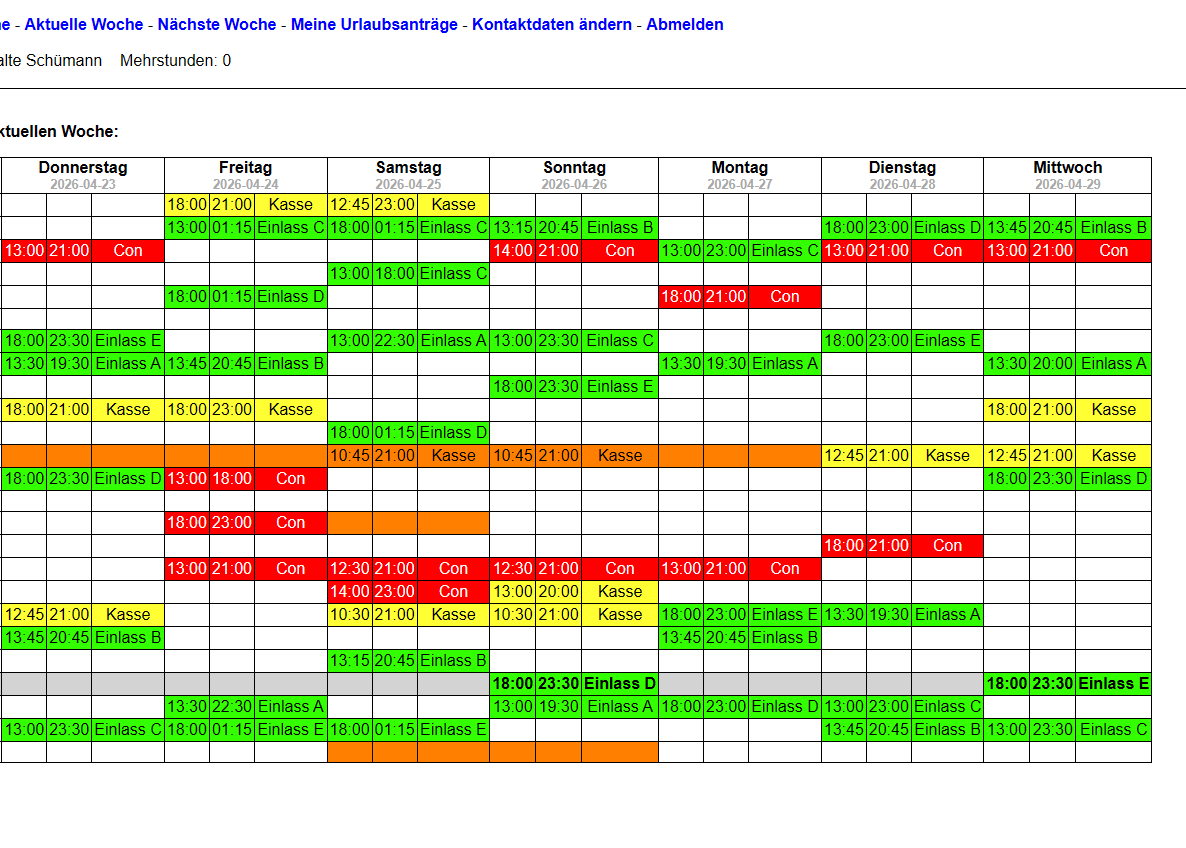
The old workflow was a hand-maintained weekly grid. It worked, but only because the planner kept a lot of rules in their head: roles, screens, overlaps, opening hours, availability, and which people could actually do which jobs. Kumi turns those rules into product behavior instead of spreadsheet conventions.
This gave the product a clear goal: keep the overview, but move the error-prone logic into the application.
Event import
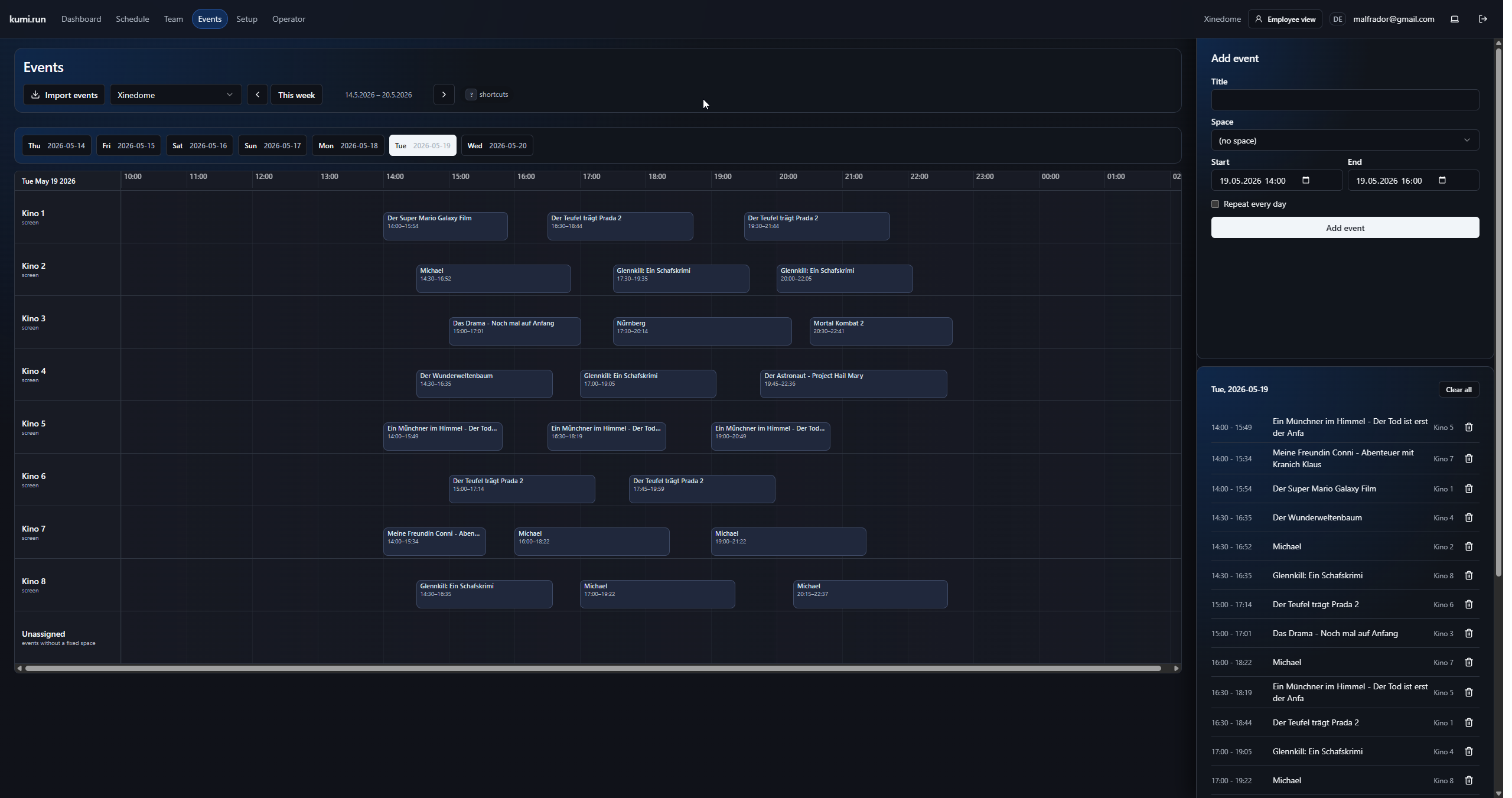
For cinemas, the event schedule is the source of truth. Kumi starts there: imported screenings and events are placed on a timeline, grouped by space, and can be edited when needed. From that, the app can derive staffing needs instead of making the planner enter every shift manually.
The planner works from real event data first, which makes later staffing suggestions much more grounded.
Scheduling
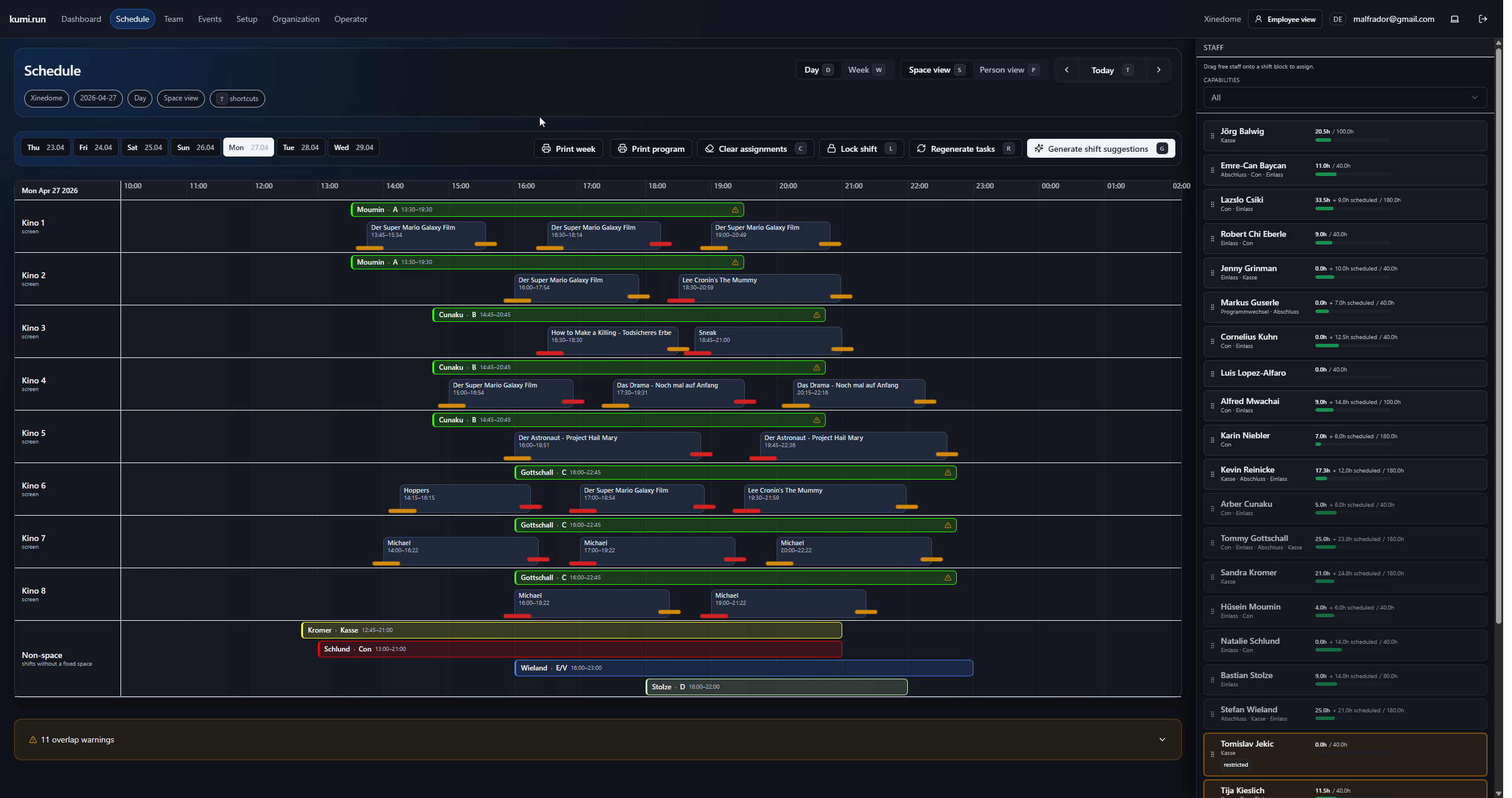
The schedule view combines events, generated shifts, staff availability, and warnings. The solver side can suggest shifts, while the UI still lets the planner review, drag, lock, clear, and regenerate parts of the plan. The important part is that the software explains problem areas instead of silently producing a plan.
The screen keeps the dense overview planners need, but adds guardrails and automation around it.
Daily operations
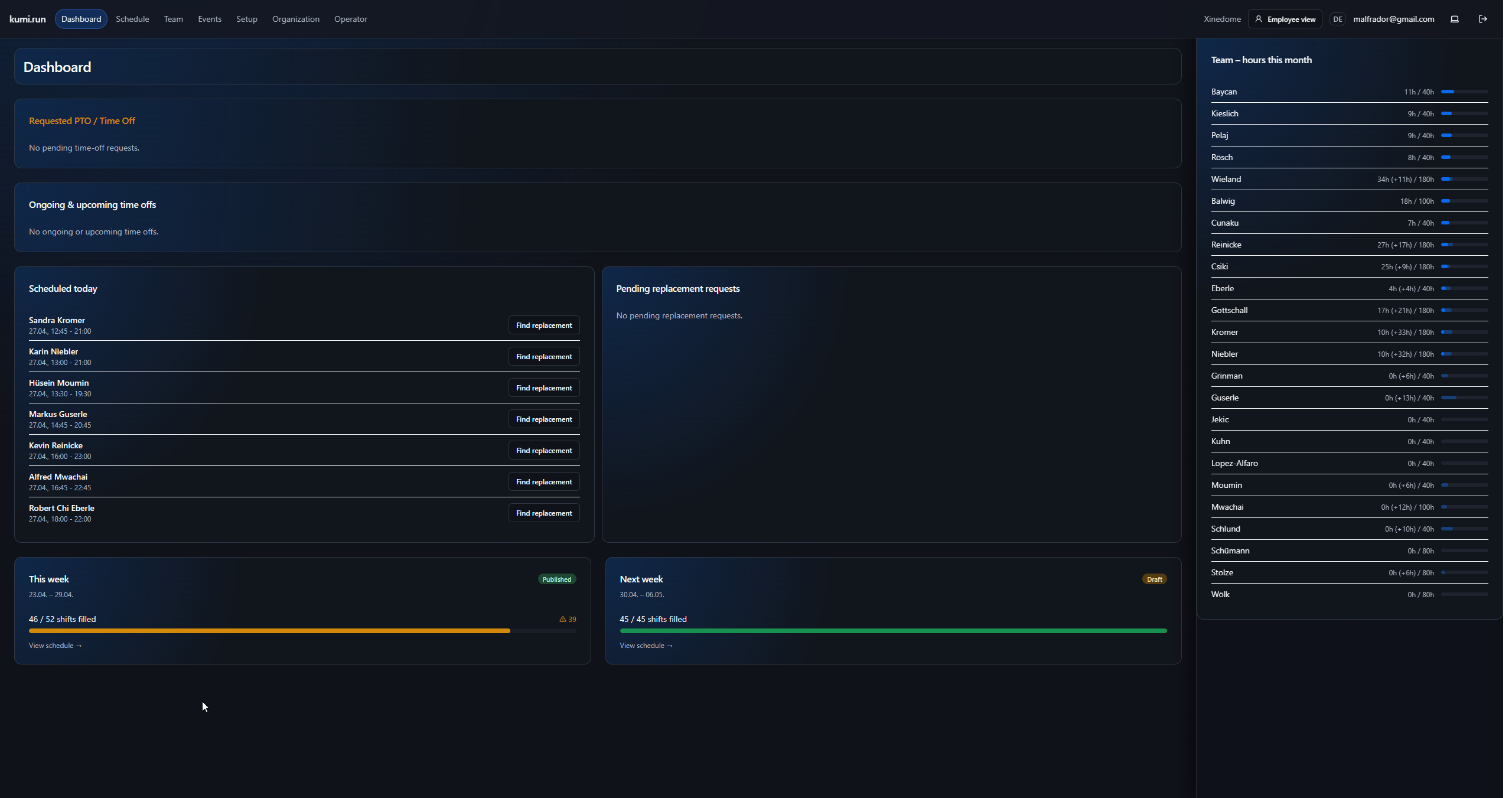
Kumi is not only a planner view. The dashboard collects the operational work around a schedule: pending time off, today's shifts, replacement requests, week status, and monthly hours. That matters because scheduling software fails if it only handles the initial plan and ignores all the small changes afterward.
The surrounding workflow is part of the product, not an afterthought.
Staff workflow
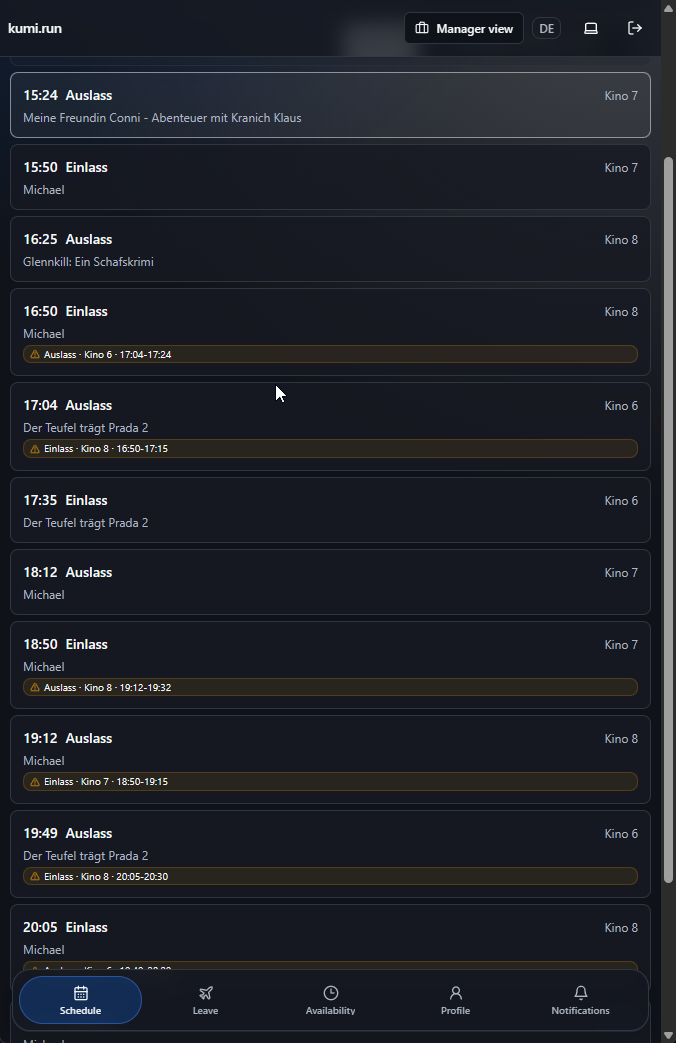
The employee view is intentionally narrower than the manager app. Staff need to see upcoming work, leave, availability, profile details, and notifications without the full planning interface. Keeping those views separate also fits the multi-tenant setup: kumi.run for the product, venue subdomains for organizations.
The same scheduling data supports both manager and employee workflows without forcing everyone into the same UI.
Architecture
The app is structured as a small monorepo: Hono on Bun for the API, React/Vite for the frontend, Drizzle and PostgreSQL for data, shared Zod schemas for API types, and a FastAPI/OR-Tools sidecar for optimization. Deployment is designed around a single Docker image for the app plus PostgreSQL, with wildcard subdomains for venues.
Kumi is presented as a real product architecture, not just a UI mockup.